Hi all! As you may have seen previously, I posted a teaser for the latest project some time ago. It is an 8mm film scanner which is run by an Arduino robot, and with the images captured by a recycled Canon IXUS55 pocket camera running an open source (and hacked ) operating system. I’ll show you a video first, then I’ll take you through the parts. A full building instruction will appear at some point on this blog.
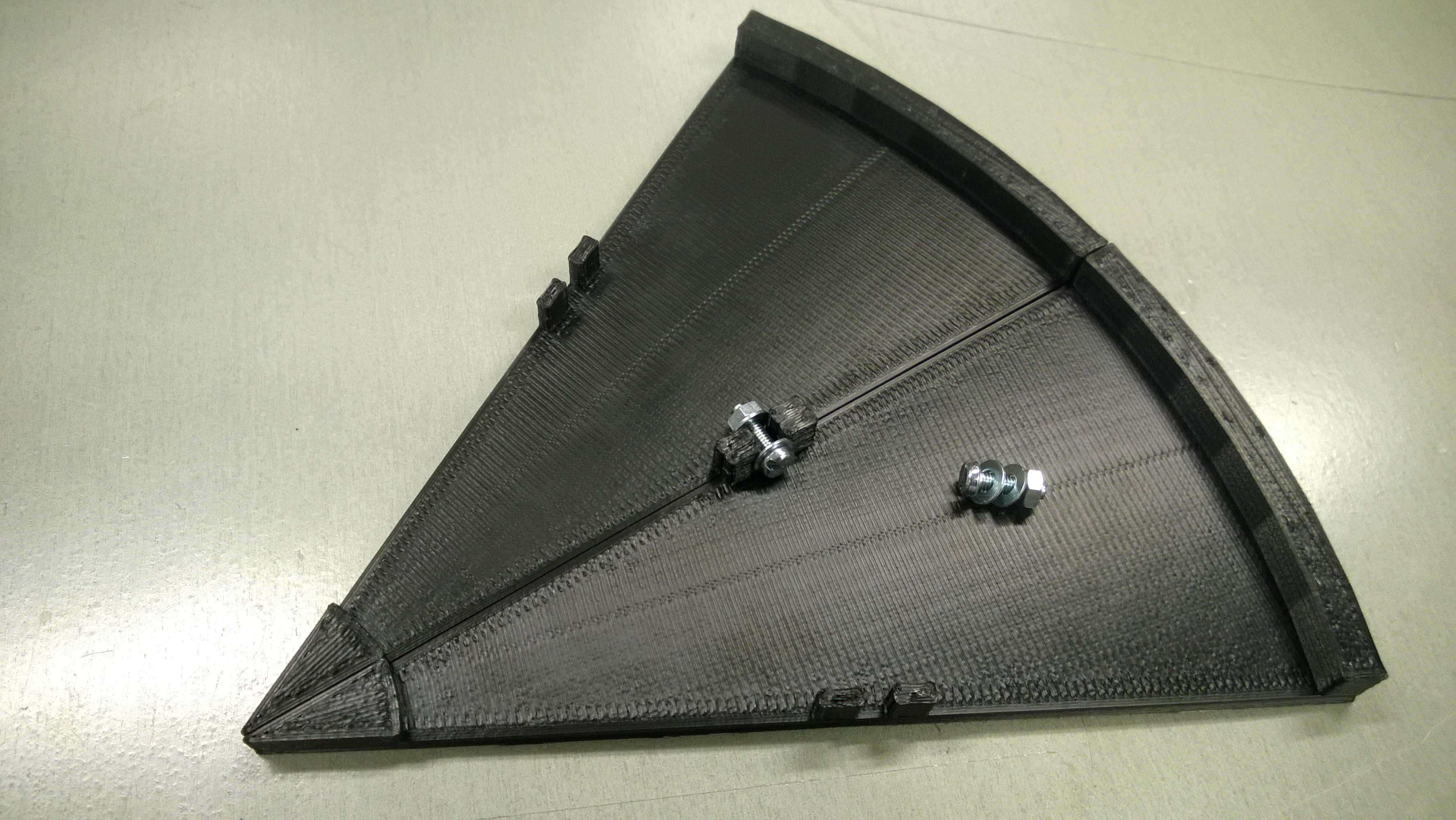
Now that the scanning works, it’s time to explain the design of the tool. The size of the finished system of course makes it impossible to print it with any current 3D printer available to me, but even with MiniFactory’s 15 x 15 cm build table, it is doable. I wanted to have a 30 cm diameter turntable, and a 60 cm diameter frame base so as to have space to shoot objects bigger than 15 x 15 x 15 cm. The turntable is printed in 12 parts, assembled with screws, just like the arcs. I didn’t want to use glue, even if ABS is easy to build with glue. There are a couple of other parts too, like the cup below the turntable on which it revolves, and the three vertical arc mounts. There is a small triangular part at the top to assist in fixing the top arcs together, and that is done with a bundle strap. It’s easier than using screws and works just as well.
I modeled all parts in Blender, exported to STL and printed on my three Minifactories. I wanted to keep the design as simple as possible, and recycle parts so as not to have to change the printing setup every time a part was finished. Therefore the base arc and the three vertical arcs are of the same parts, and as ABS flexes a little, the whole setup can be put together and held in position by a single bundle strap at the top of the arcs. Let’s see the parts in detail.
I’ve been a little busy lately, what with the new curriculum at Haaga-Helia being introduced and whatnot, but I’ve also managed to do something I have wondered about for a while already. I found a piece of software, Autodesk’s 123D Catch, and it seems to work really well with my pet project, the 3D printed 3D scanner system. Now that the printing department of the 3D Lab works well, with the 3 Minifactories and one CoLiDo Printrite, it’s time to take the next step.
Google Forms is one of the most amazing free tools. You can use its very easy interface to create web forms, and whatever responses you get will be inserted into a worksheet for further use. I have used Google Forms for many purposes, and last time I had a need for it, it was extremely useful.
I was in the Army in 1984-85 (Finland still has a national service), and because it was now 30 years since our Reserve Officer School course, we had a reunion. Of course, finding all 798 members was impossible, but we managed to locate 220 alumni via various channels, such as Facebook, LinkedIn and email. I created an enrollment form for the reunion, and we had a very successful party in early June with 108 people. Continue reading Google Forms and Excel, part 1→
it’s been some time since I last posted – Spring is always a busy time. I’ve been printing little gadgets and other stuff, some of which you can find on my account at Thingiverse.
But now it occurred to me to create little tutorial on basic video editing using Blender. Most people don’t know that Blender comes with a very handy and complete video editor, with which you can edit both sound and silent videos. I’ll start with a silent one, which I made using my late father’s 1962 vintage Bolex D8L camera featuring 4 minutes of live action per roll of film – planning ahead of shooting is a must. The clip is below, it is an excerpt of the full 4 minute film that I wanted to share with the pilot and my friends on Facebook.
Now that the frame is complete and ready to print, as seen in Part 2, it’s time to do the moving parts. This is a very good place to show you the Blender 3D Cursor in operation, because I will not be designing with exact dimensions, but rather with exact locations and approximate dimensions.
The 3D cursor is the thing that moves around the screen, when you click the left mouse button. You can place it with nice precision, when you use the views that are flat, ie. Top, Left, or Right, because then the cursor moves in only two dimensions. Placing the cursor in the User Perspective view is really hard, unless you snap the cursor onto something – most of the time it is not even possible. I’ll show you what I mean.
I will now try to take you through the design of the trebuchet which has been shown in Part I of this post. This description that follows is actually aimed at showing you how in Blender all design is based on very simple starting points. The trebuchet frame is based on a single circle, the hole in which the main axis will eventually be placed, with a diameter of one Blender unit. Around this circle I based an octagon with the same center, but with a diameter of three.